
MFA-Fatigue Attacks and MFA Guidance
MFA-fatigue attacks overwhelm users with authentication prompts until they approve one. This guide explains how the attacks work, why NZ businesses are exposed, and which MFA controls actually defend against them.
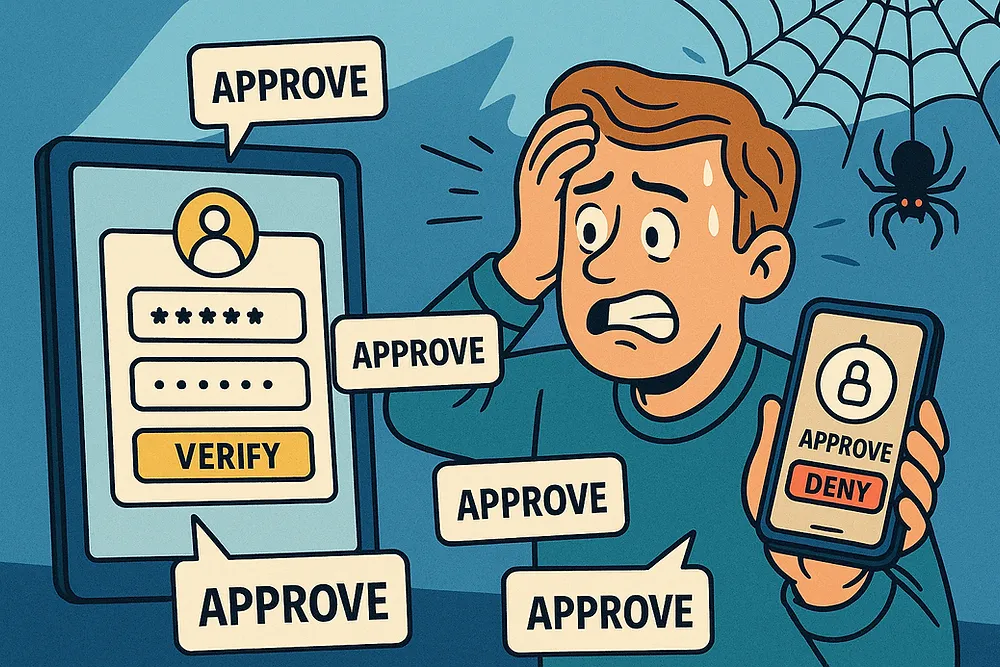
In recent years cybercriminal groups have made headlines by systematically bypassing Multi-Factor Authentication (MFA), the security control that many New Zealand businesses rely on to protect their digital assets. One of the most notorious groups, Scattered Spider, has orchestrated high-profile breaches using a technique called MFA fatigue attacks. But their methods pose an equally serious threat to Kiwi businesses of all sizes.
New Zealanders lost $6.8M to cybercrime in quarter 4 2024, up 24% from $5.5M in quarter 3, according to CERT NZ. This trend highlights why understanding and defending against advanced identity-based attacks like MFA fatigue has never been more critical for New Zealand organisations.
What Are MFA-Fatigue Attacks and Why Should You Care?
MFA-fatigue attacks “exploit the human element by overwhelming users with authentication requests until they give in.” Adversaries first obtain legitimate usernames and passwords through phishing or credential stuffing, then use automated systems to generate repetitive MFA push notifications in rapid succession.
The attack exploits psychological factors that make it hard to resist. Users become desensitised to repeated alerts, creating notification fatigue. The constant pinging creates pressure to “make it stop” and users may approve requests hastily to return to work tasks. Since push notifications look legitimate, many people trust familiar interfaces without questioning unusual timing or frequency.
Upon successful approval, attackers establish persistent access and begin lateral movement immediately. Additional accounts are often compromised using the same techniques, and data exfiltration or ransomware deployment follows within hours or days.
Why This Affects NZ Businesses
MFA fatigue attacks do not require sophisticated targeting. If an attacker has a valid username and password, obtained through phishing, an infostealer, or a previous data breach, the push notification flood is a simple next step that works regardless of the organisation’s size or location.
New Zealand businesses are exposed for practical reasons. “Microsoft 365 is the dominant platform for business email and productivity in this country,” and push-based MFA is the default configuration for most M365 deployments. That combination means a large number of NZ organisations are running exactly the authentication setup that MFA fatigue is designed to beat.
Smaller organisations are also less likely to have conditional access policies configured, which is the control that adds the most friction to this type of attack. Requiring compliant devices, blocking unusual login locations, and flagging anomalous login attempts before an MFA prompt even appears all reduce exposure considerably. Without those controls in place, the attacker reaches the push notification stage largely unimpeded.
Strengthening Your MFA Defences
The most effective step is moving beyond simple push notifications to advanced MFA technologies. Number matching in Microsoft Authenticator requires users to type a displayed number rather than simply approving a request. FIDO2 security keys offer higher security by resisting phishing attacks compared to traditional methods. Biometric authentication using fingerprint or face recognition provides additional security where supported.
Avoid SMS-based MFA as it’s outdated and less secure. Use application-based MFA like Microsoft or Google Authenticator instead. Apply MFA universally to all accounts, including contractors and suppliers, and implement it for administrative interfaces, VPN access, and cloud services.
User education represents another critical defence layer. Regular phishing simulations that include MFA-fatigue scenarios help users recognise suspicious requests. Training should cover legitimate reasons for MFA requests and establish clear escalation procedures for suspicious activity.
Technical Controls That Actually Work
Implementing conditional access policies provides powerful protection against identity-based attacks. Location-based access controls flag logins from unusual geographic locations, while device compliance requirements prevent access from unmanaged devices. Risk-based authentication requires additional verification for suspicious activity, and session controls limit access duration.
Identity protection and monitoring help detect attacks in progress. User and Entity Behavior Analytics identify unusual access patterns, while automated alerts for impossible travel scenarios can catch attacks early. Legacy protocol management is often overlooked but critically important - disabling protocols like IMAP and POP3 that bypass MFA eliminates common attack vectors.
Choosing the Right MFA Solution
The MFA landscape offers options with varying security levels, user experience, and cost. SMS and voice methods should be avoided due to low security. TOTP apps like Google Authenticator provide reasonable security but lack phishing resistance. Push notifications with number matching offer good security at low cost, making them a solid intermediate option.
FIDO2 security keys provide the highest security with excellent phishing resistance, though at medium cost. For enterprise solutions, Microsoft Entra ID integrates well with Microsoft 365, while Okta provides comprehensive identity platform capabilities. SME-friendly options include Google Workspace with built-in MFA and JumpCloud as a cloud directory service.
Comprehensive MFA Solutions Comparison
| MFA Type | Security Level | User Experience | Cost | Effectiveness | Setup Complexity | Best Suited For |
|---|---|---|---|---|---|---|
| SMS/Voice Codes | Very Low | High | Very Low | Good | Very Low | Not recommended - legacy only |
| Email Codes | Low | Medium | Very Low | Good | Very Low | Basic personal accounts only |
| TOTP Apps (Google/MS Authenticator) | Medium | Medium | Low | Good | Low | Small businesses, personal use |
| Push Notifications (Basic) | Medium | High | Low | Good | Low | General business use |
| Push + Number Matching | High | Medium | Low | Good | Low | Current standard for most businesses |
| FIDO2 Security Keys | Very High | Medium | Medium | Excellent | Medium | High-security environments, admin accounts |
| Hardware Tokens (RSA SecurID) | High | Low | High | Good | High | Enterprise, regulated industries |
| Smart Cards | Very High | Low | High | Excellent | Very High | Government, military, banking |
| Biometric (Standalone) | Medium | High | Medium | Good | Medium | Device access, convenience-focused |
| Biometric + FIDO2 | Very High | High | High | Excellent | High | Executive accounts, maximum security |
| Certificate-Based | Very High | Low | High | Excellent | Very High | Enterprise PKI environments |
| Mobile App Push + Biometric | High | High | Medium | Good | Medium | Modern enterprise standard |
New Zealand Compliance and Support
The NCSC Cyber Security Framework emphasises identity and access management controls in its “Protect” function. Different sectors have specific requirements - financial services follow RBNZ operational resilience requirements, healthcare adheres to Health Information Privacy Code, and education follows Tertiary Education Commission guidance recommending app-based MFA over SMS.
CERT NZ provides incident response support for MFA-related breaches, threat intelligence sharing, and security awareness resources. Industry partnerships through NZISF offer networking opportunities, while ISACA New Zealand provides governance guidance.
NZ Resources and Requirements:
- Follow NCSC Cyber Security Framework guidance
- Meet sector-specific requirements (RBNZ, Privacy Code, TEC)
- Utilise CERT NZ incident response and threat intelligence
- Engage with NZISF and ISACA for industry knowledge sharing
Testing and Professional Validation
Professional penetration testing can evaluate your MFA implementations and identify vulnerabilities in authentication systems. Social engineering assessments through email phishing campaigns test whether users would provide credentials that could be used in MFA fatigue attacks. Technical testing validates MFA configuration, identifies bypass opportunities, and examines privilege escalation pathways.
Secure configuration reviews assess whether MFA policies are properly implemented, legacy protocols are disabled, and conditional access rules are effective. These reviews can identify gaps in your authentication controls without requiring actual credential compromise.
We recommend annual comprehensive penetration testing focusing on identity controls, quarterly email phishing simulations to test user awareness, monthly security training updates, and regular configuration reviews to ensure controls remain effective.
Testing Program Recommendations:
- Annual penetration testing including MFA configuration assessment
- Quarterly email phishing simulations to test credential security
- Secure configuration reviews of identity and access controls
- Monthly security awareness training updates
- Regular audits of MFA policies and conditional access rules
Taking Action: Your Path Forward
Start with an immediate audit of current MFA settings across all applications. Enable enhanced controls like number matching where available and communicate organisation-wide about MFA-fatigue attacks. Within the next month, conduct focused security awareness training and review authentication policies. Looking ahead, implement FIDO2 security keys for high-privilege accounts and establish ongoing testing programs.
The key to effective defence lies in thoughtful combination of advanced authentication methods, comprehensive user education, and regular testing. New Zealand organisations that take a proactive approach will be best positioned to defend against current and future threats.
Need Help Securing Your Identity Infrastructure?
Cyberoptic Security specialises in helping New Zealand organisations strengthen their authentication systems through comprehensive security assessments and user awareness testing.
Our Services Include:
- Comprehensive penetration testing with identity and access control assessments
- Secure configuration reviews of MFA implementations and policies
- Email phishing simulations to test user credential security awareness
- Recommendations for trusted industry partners providing security training and incident response planning
📞 Get in touch to schedule a consultation or book a comprehensive review of your identity security posture. Let’s work together to keep your organisation secure in an increasingly complex threat landscape.