Security in CI/CD Pipelines
A practical guide to the security checks every small team should run in their CI/CD pipeline, covering SAST, DAST, dependency scanning, secrets detection, container and IaC scanning, and where to begin.
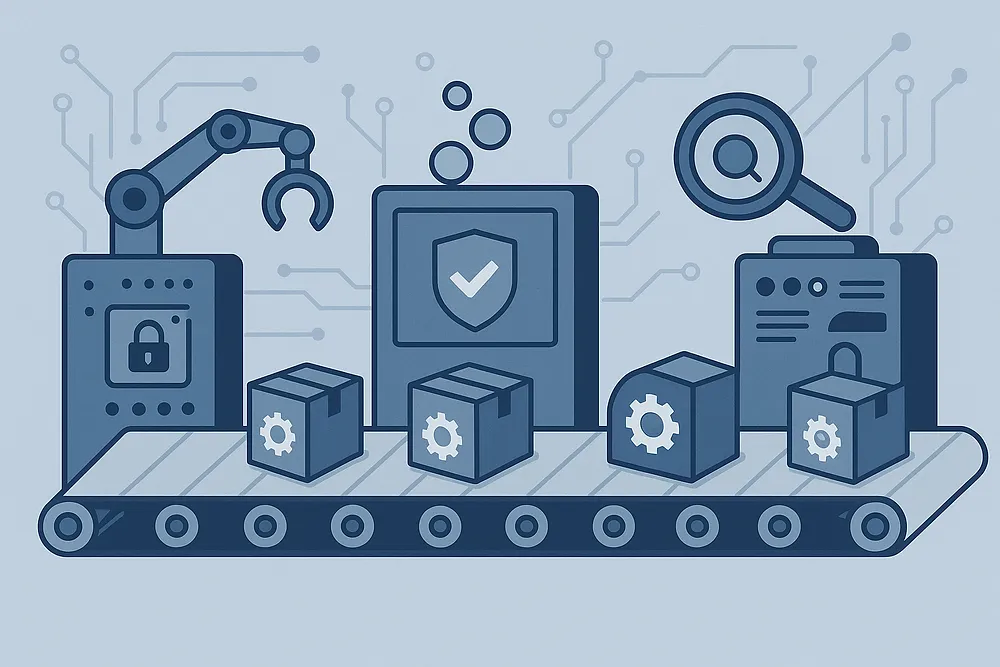
This guide covers the essential security checks every small team should use. Most of these tools are free or cheap, and they run automatically in the background without disrupting your workflow.
Building security into your CI/CD pipeline means catching obvious problems before they reach production, reducing the risk of costly incidents and emergency patches. There are a variety of security checks that should be done before deploying code, and implementing these checks in an automated pipeline is an ideal way to streamline your security testing process.
Static Code Scanning (SAST)
Static code scanning analyses source code for security vulnerabilities without executing it. SAST tools identify common security flaws like SQL injection, cross-site scripting (XSS), buffer overflows, and hardcoded secrets.
Finding security bugs during development is much less of a headache than finding them in production. SAST provides immediate feedback during code review, helping developers learn secure coding patterns while preventing vulnerabilities from entering the codebase.
Tool options:
- SonarQube Community Edition: Java, C#, JavaScript, TypeScript, Python, PHP, Go, Kotlin, Ruby, Scala, XML
- Semgrep: Python, Java, JavaScript, TypeScript, Go, Ruby, C, C++, PHP, C#, Kotlin, Scala
- CodeQL: JavaScript, TypeScript, Python, Java, C#, C, C++, Go, Ruby
- Bandit: Python (specialised for Python security issues)
- ESLint with security plugins: JavaScript, TypeScript
- SpotBugs with Find Security Bugs: Java, Scala, Groovy
- Clang Static Analyzer: C, C++, Objective-C
- Cppcheck: C, C++
- Brakeman: Ruby on Rails
- gosec: Go
Implementation approach: Run SAST scans on every pull request. Start with high-severity rules only to avoid alert fatigue. Most tools integrate directly with major CI platforms through plugins or simple command-line execution.
Modern SAST tools can scan typical codebases in under 5 minutes. Configure incremental scanning to analyse only changed code for faster feedback loops.
Dynamic Application Security Testing (DAST)
DAST tools test running applications by simulating attacks against live deployments. Unlike static analysis, DAST discovers runtime vulnerabilities, configuration issues, and logic flaws that only manifest when the application is actually running.
Benefits for development teams: DAST catches authentication bypasses, server misconfigurations, missing security headers, and business logic vulnerabilities that static analysis misses. It validates that security controls work correctly in your actual deployment environment, not just in theory.
Tool landscape:
- Open source: OWASP ZAP (comprehensive but slower), Nuclei (fast template-based scanning)
- Commercial: Burp Suite Professional, Rapid7 AppSpider
- Cloud-based: Detectify, HackerOne’s pentest platform
- Platform-integrated: AWS Inspector, Azure Security Center
Implementation approach: Run DAST against staging environments after deployment. Since scans take 15-60 minutes depending on application size, consider running them nightly rather than on every commit. Focus initial efforts on authentication endpoints, user input forms, and API endpoints.
Modern applications often have extensive APIs that need dedicated testing. Tools like Postman’s security scanning or REST-specific DAST tools can provide better coverage than traditional web application scanners.
Software Composition Analysis (SCA) and Dependency Scanning
SCA tools analyse third-party dependencies and open-source components for known vulnerabilities, license compliance issues, and outdated packages. Modern applications typically use hundreds of dependencies, making manual tracking impossible.
Dependency vulnerabilities represent 85% of security holes in modern applications. SCA prevents the integration of components with known CVEs and helps maintain compliance with open-source licensing requirements.
Tool ecosystem:
- Language-specific: npm audit (Node.js), pip-audit (Python), bundler-audit (Ruby)
- Universal: Snyk (freemium), OWASP Dependency-Check (free), Trivy (free)
- Platform-integrated: GitHub Dependabot, GitLab dependency scanning, Azure DevOps
- Enterprise: Sonatype Nexus, JFrog Xray, WhiteSource (now Mend)
Implementation approach: Run SCA scans after dependency resolution but before deployment. Configure tools to fail builds on critical vulnerabilities while allowing lower-severity issues with appropriate business justification. Combine with automated dependency update tools like Dependabot or Renovate for streamlined patching workflows.
Modern SCA tools provide vulnerability prioritisation based on actual usage (reachability analysis), automated remediation suggestions, and integration with development workflows through pull request comments.
Secrets Detection and Management
Secrets scanning tools detect accidentally committed credentials, API keys, certificates, and other sensitive data in source code, configuration files, and build artifacts. These tools use pattern matching, entropy analysis, and machine learning to identify potential secrets.
Hardcoded secrets in repositories create permanent security liabilities. Even private repositories can be compromised, and secrets in git history are difficult to fully remove. Automated detection prevents these credentials from entering version control.
Detection tools and platforms:
- Open source: GitLeaks, TruffleHog, detect-secrets
- Platform-integrated: GitHub secret scanning, GitLab secret detection, Azure DevOps credential scanner
- Enterprise: GitGuardian, Cycode, SpectralOps
- Pre-commit hooks: git-secrets, pre-commit framework with secrets plugins
Implementation approach: Deploy secrets detection at multiple points: pre-commit hooks for immediate developer feedback, CI pipeline scans for every code change, and periodic repository history scans for comprehensive coverage. Configure different sensitivity levels for different secret types.
Modern secrets management platforms can automatically rotate compromised credentials when detected. Tools like HashiCorp Vault, AWS Secrets Manager, and Azure Key Vault provide APIs for programmatic secret rotation and can integrate with CI/CD pipelines.
Container Image Security Scanning
Container scanning analyses Docker images and other container formats for OS-level vulnerabilities, malicious packages, configuration issues, and compliance violations. This includes both base image components and application-specific additions.
Container images often contain hundreds of system packages, any of which may have known CVEs. Scanning identifies vulnerable packages, misconfigurations like running as root, exposed sensitive files, and compliance violations against security benchmarks like CIS Docker Benchmark.
Scanning tools and integration:
- Open source: Trivy (comprehensive and fast), Grype, Clair
- Cloud provider: AWS ECR image scanning, Azure Container Registry scanning, Google Container Analysis
- Commercial: Snyk Container, Aqua Security, Twistlock (now Prisma Cloud)
- Registry-integrated: Docker Hub vulnerability scanning, Red Hat Quay
Implementation approach: Implement multi-stage scanning: scan base images during selection, scan intermediate build images, and scan final runtime images before registry push. Consider both OS-level and application-level vulnerability detection.
Modern container scanners provide specific remediation guidance, including base image upgrade recommendations, package updates, and configuration fixes. Integration with image build pipelines enables automatic rebuilds when new vulnerabilities are discovered in base images.
Infrastructure as Code (IaC) Security Scanning
IaC security tools analyse infrastructure configuration files (Terraform, CloudFormation, Kubernetes manifests) for security misconfigurations, compliance violations, and policy breaches before deployment.
Configuration risk management: Infrastructure misconfigurations cause 65% of cloud security incidents. IaC scanning prevents deployment of overly permissive security groups, unencrypted storage, public cloud resources, and non-compliant configurations.
Tool landscape by platform:
- Terraform: tfsec, Checkov, Terrascan, Snyk Infrastructure as Code
- CloudFormation: cfn-nag, Stelligent cfn_nag, Checkov
- Kubernetes: kube-score, Polaris, Falco, OPA Gatekeeper
- Multi-platform: Checkov, Prisma Cloud, Bridgecrew (now Prisma)
Integration approach: Run IaC scans on infrastructure pull requests before merge, during CI/CD pipeline execution before deployment, and periodically against live infrastructure for drift detection. Configure different rule sets for development, staging, and production environments based on risk tolerance.
Many IaC scanners support industry frameworks like CIS Benchmarks, NIST, SOC 2, and GDPR compliance requirements. Custom policy creation enables organisation-specific security requirements and governance rules.
CI/CD Platform Considerations
The major CI/CD platforms all support the checks described above, but they differ in how much comes built in versus how much you have to wire up yourself.
GitHub Actions with GitHub Advanced Security gives you CodeQL, secret scanning, and Dependabot out of the box for public repositories. For private repositories you need Advanced Security enabled, which adds cost but brings everything under one roof and integrates tightly with pull request workflows. The Actions marketplace has security tool integrations for most of what you would want.
GitLab CI/CD has the most complete built-in security suite. SAST, DAST, dependency scanning, and container scanning are all available without external tools, and results surface directly in merge requests. If your team is already on GitLab, it is worth using what is there before adding third-party tools.
Azure DevOps integrates well with Microsoft Defender for DevOps and works naturally with Azure-hosted workloads. The marketplace has extension equivalents for most open-source tools. If your organisation is already heavily Microsoft-aligned, this is the path of least resistance.
Jenkins is the most flexible option but requires the most work. Security scanning is entirely plugin-dependent, and the plugins vary in quality and maintenance status. You also carry the burden of securing the Jenkins server itself. For teams starting fresh, a cloud-hosted platform is a better choice. For teams already running Jenkins, the plugin ecosystem covers the essentials but needs more ongoing attention.
Cloud-native options (AWS CodePipeline, Google Cloud Build) work well when your infrastructure already lives in those environments. Native integrations with ECR image scanning and Google Binary Authorization reduce configuration overhead, with the tradeoff being tighter platform lock-in.
The choice of platform matters less than which checks you actually run. A well-configured GitHub Actions workflow and a well-configured Jenkins pipeline can produce the same security outcomes.
Pipeline Access Control and Supply Chain Security
CI/CD pipelines require privileged access to source code, build environments, and production systems, making them high-value targets for attackers. Pipeline security focuses on protecting the build and deployment process itself.
Access control implementation:
- Service accounts with least-privilege permissions for automated processes
- Multi-factor authentication requirements for all human pipeline access
- Role-based access control for pipeline configuration changes
- Short-lived, rotatable tokens instead of static credentials
- Network segmentation between build and production environments
Supply chain attack prevention: Modern software supply chain attacks target the build process to inject malicious code. Protection strategies include:
- Dependency pinning with hash verification
- Private registries for internal dependencies and build tools
- Build environment isolation and reproducible builds
- Software Bill of Materials (SBOM) generation for transparency
- Signature verification for downloaded tools and dependencies
Pipeline monitoring requirements:
- Audit logging for all pipeline configuration changes
- Alerting on failed security scans or unusual build patterns
- Monitoring for unauthorised access to build environments
- Tracking deployment success rates and rollback frequency
- Integration with security incident response procedures
Where to Start
If you have nothing in place, the most useful starting point is secrets scanning and dependency vulnerability detection. Both can be configured in under an hour on most platforms and catch a disproportionate share of real incidents. Secrets in git history and known-vulnerable dependencies consistently appear among the top findings in supply chain attack postmortems.
From there, add SAST for your primary language, then container scanning if you are using containers, then IaC scanning if you are deploying infrastructure as code. DAST sits last because it needs a running environment to test against and takes the most setup to use well.
Introduce one check at a time and tune it before moving on. A pipeline that fails every build due to noisy alerts tends to get disabled or bypassed by developers. Starting conservative on rule severity and expanding from there keeps the output useful.
What Automated Scanning Does Not Replace
Automated tools catch consistent, repeatable issues well. They do not catch architectural problems, business logic flaws, or the kind of chained vulnerabilities that require a human to reason through. A SAST tool will flag an obvious SQL injection; it will not spot that your password reset flow can be abused to take over any account in the system.
Regular penetration testing covers that gap. Running a pentest against an application after automated checks are in place gives you a realistic view of what an attacker could actually do, rather than a list of potential issues the scanner has flagged in isolation. The two work well together: automated scanning keeps the common issues out, and periodic manual testing checks whether the less obvious ones are there.